
Build an agentic AI healthcare claims pipeline with Amazon Bedrock and AWS HealthLake
Manually processing paper-based forms remains a significant cost in the healthcare industry. Despite advancements in data extraction of scanned documents and images, human oversight is usually still needed. Entry error by the individual creating the form or lower-confidence extractions from the digitization still must be remediated.
In this post, we show you how to build an automated claims processing pipeline using two key Amazon Bedrock capabilities: Amazon Bedrock Data Automation for intelligent document extraction from healthcare claim forms, and Amazon Bedrock AgentCore for hosting an AI agent that validates and transforms the extracted data into FHIR (Fast Healthcare Interoperable Resources) resources in AWS HealthLake. You will learn how to combine these services to create an end-to-end workflow that reduces manual processing while maintaining accuracy through automated validation checks.
The solution demonstrates an automated workflow for processing healthcare claim forms using AI-powered services. When a healthcare provider uploads a CMS-1500 claim form (in PDF format) to an Amazon Simple Storage Service (Amazon S3) bucket, it triggers a processing pipeline starting with AWS Lambda that performs three main functions:
This automated workflow helps reduce manual processing time while maintaining accuracy through AI-assisted validation.
Figure 1: An architectural view of the solution.
The preceding diagram illustrates the following steps:
Lambda is used as an event trigger when a document is created in S3 and serves as a deterministic supervisor over the agentic workflow. It validates that each document is processed or sent to a dead letter queue for exception handling.
Bedrock Data Automation streamlines generative AI development and automates workflows involving documents, images, audio, and videos. For document processing, Bedrock Data Automation combines traditional optical character recognition (OCR), machine learning (ML) models, and generative AI to extract data accurately. You can use Blueprints (artifacts) to specify what data to extract from a document and how to extract it. You can use pre-built templates or build custom configurations tailored to your use cases. The output includes confidence scores and bounding box data for the extracted fields and tables. The custom output here produces a predictable JSON representation of the CMS-1500 claim form across its format variations.
AgentCore hosts the Strands agent. The agent uses two tools to interact with HealthLake: create_fhir_claim and search_fhir_resources.
The agent uses the following workflow:
Identify the insured resource, first by looking at prior tool calls. If there is no match, try two more attempts to find a match by using different search parameters from the claim JSON. Focus on high confidence score attributes and report how you found the match.
Before you deploy the solution, make sure you have the following:
The AWS Cloud Development Kit (CDK) and the AgentCore command line interface are used for deployment with the following steps:
Subscribe to the SNS topic to receive notifications
The following sections walk through two scenarios: a failure scenario and a success scenario.
1. Failure scenario: Simulate a failure by leaving out one of the required reference resources in AWS HealthLake.
The project code includes a sampledata folder. Use load_sampledata.py to stage some data, where
Upload sample1_cms-1500-P.pdf to the S3 bucket under a folder named /input. We’re intentionally not loading one of the required resources.
This should generate a message similar to the following through SNS:
We were unable to process your claim because we couldn’t find your insurance coverage information in our system. Please contact your insurance provider to verify your policy number G4683A with AnyHealth Plus Medicare plan, or call our office to update your coverage information.
This simulates how the agent recognizes a problem and generates a human-friendly response to the claim failure.
2. Successful scenario: Simulate successful processing by making sure the required HealthLake resources exist. In this scenario, we insert a data discrepancy for the agent to help us overcome. In the following sample data, the Insured’s ID number has been changed.
Create the missing reference in HealthLake:
Using the preceding steps, reprocess the PDF. You will receive a message like the following through SNS:
Successfully processed CMS 1500 claim form for patient John Doe with diagnosis of Back Pain M54.9. Patient was identified by DOB (1960-10-10). Insured party Jane Doe was identified by name search after ID search failed due to a discrepancy between claim ID (11-2234-10190) and database ID (11-2234-1019O) – final character differs. Dr. Jane Smith was identified as the referring physician by ID 123456. Coverage was verified under Medicare policy G4683A issued by AnyHealth Plus. The claim includes 4 procedures: CPT 97810 on 2005-10-15 ($170), CPT 73521 on 2005-10-20 ($120), CPT 98940 on 2005-10-30 ($250), and CPT 97124 on 2005-10-30 ($120), totaling $660.
This message can signal to a human reviewer a quick glance summary of the successful claim and any other observations made by the agent.
Design-time AI is better than runtime AI. In this solution, the orchestration logic is known in advance. The document processing steps are predictable, and the initial queries to HealthLake follow a consistent pattern. Because these requirements are well-defined at design time, we explicitly encoded the logic instead of relying on Model Context Protocol (MCP) servers to infer the order of operations at runtime. The result is a more reliable, maintainable solution. To build it, we used Kiro, an agentic IDE that translates natural language specifications into working code. Kiro generated the API calls to Bedrock Data Automation inside Lambda and built the tools inside the agent. By producing precise, targeted code at design time rather than issuing broad, exploratory prompts at runtime, Kiro reduced the number of calls to Bedrock. That helped lower operational costs and shorten the development lifecycle.
Deterministically supervise the agents. Using S3 and Lambda in this architecture was intentional. The agent does two basic things: observe the explicit tool calls, and generate the FHIR resource to load into HealthLake. It then reports back to the Lambda function, which acts as the final arbiter of success or failure for the claim.
The following commands can be invoked to remove the solution:
The following lists cost considerations for each service used.
Note: The following cost considerations are based on AWS pricing as of the time of publishing and are provided for informational purposes only. Actual costs may vary. For the most current pricing, refer to the respective services’ pricing pages.
While production healthcare claims processing often involves additional steps beyond this solution, this pattern demonstrates the power of integrating AI agents into document workflows. By giving the AI agent direct access to processing tools, it can provide valuable insights in multiple ways: identifying potential claim issues, highlighting areas that need human review, and generating patient-friendly status messages. This AI-assisted approach can help claims processors work more efficiently and reduce processing times while maintaining accuracy. The preceding example showcases a likely scenario: a data discrepancy between the letter o and the number zero. In this situation, the agent navigates the discrepancy and accurately processes the claim.
To learn more about building intelligent document processing solutions, explore the Amazon Bedrock documentation or check out other healthcare solutions in the AWS Architecture Center.
Related Stories
 AI News
Bill Gross bets AI can help mass
3 days ago
 AI News
Nigeria records 93% rise in AI micro
3 days ago
 AI News
The Italian gelato maker using AI to invent new flavours
3 days ago
 AI News
Closing the Gap Between Agentic CX Pilots and Production
3 days ago
 AI News
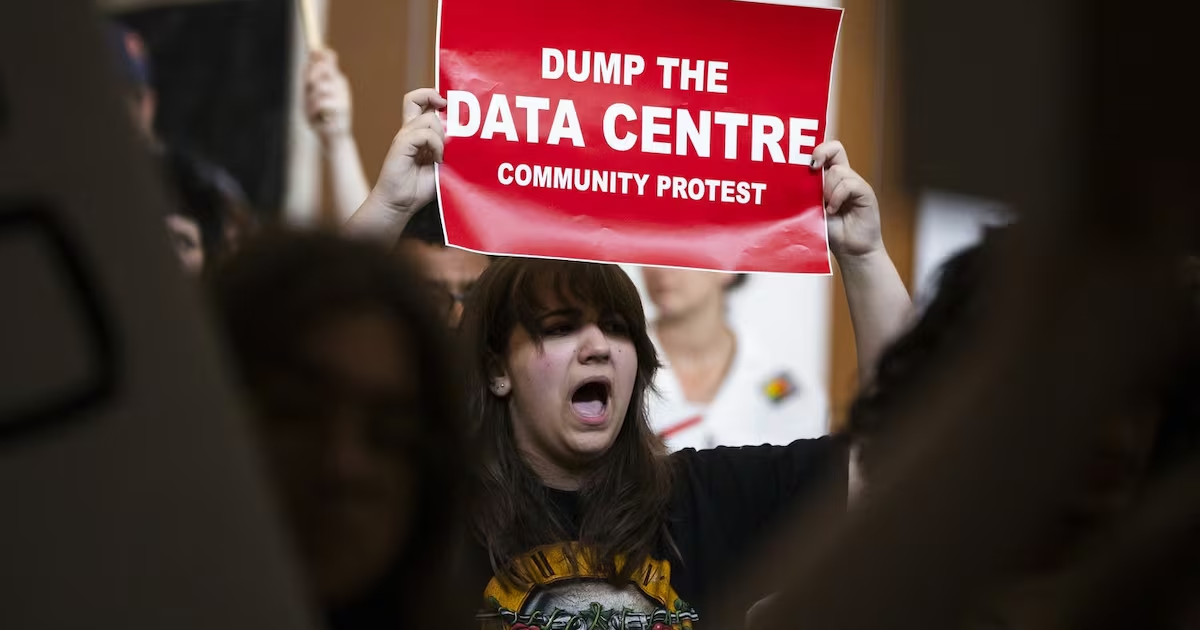
New Brunswick data centre debate highlights cross
3 days ago
 AI News
How to Structure an AI Agent Referral Fee Agreement Between Startups
3 days ago
 AI News
No, AI didn’t delete a Swedish reality TV series
3 days ago
 AI News
There is no AI in Armageddon. Artificial intelligence is a tool, not an apocalypse
3 days ago